
Best OBD2 Scanner – Find the Right Diagnostic Tool for Your Car
The best OBD2 scanner depends on what you drive, how many vehicles you diagnose and how advanced the diagnostic functions need to be. Some users are best served by a brand-specific scanner, while others need a multi-brand tool, smartphone-based diagnostics or a professional workshop platform.
Not sure where to start? Choose your situation below and compare the scanner type that matches your needs.
Choose Your OBD2 Scanner by Use Case
- I mainly diagnose one vehicle brand →
- I diagnose several different vehicle brands →
- I want a Bluetooth scanner that works with my phone →
- I need a professional workshop diagnostic tool →
Buying your first scanner? Read our beginner’s guide →
Want to compare the main options side by side? Compare OBD2 scanners →
Best OBD2 Scanner for One Vehicle Brand
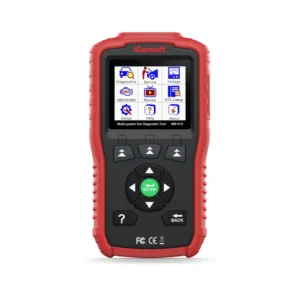
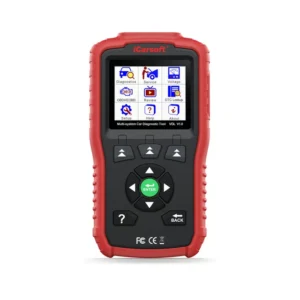
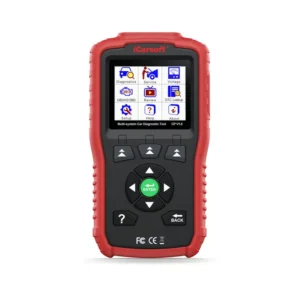
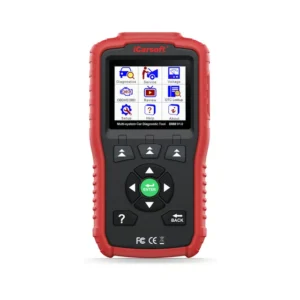
If you mainly diagnose vehicles from one manufacturer, a brand-specific scanner is often the most sensible choice. Instead of paying for broad multi-brand coverage, you get a diagnostic tool focused on the systems and service functions of the supported vehicle brand.
- Full-system diagnostics on supported vehicles
- Manufacturer-specific fault codes and live data
- Service and maintenance functions depending on the scanner
- Standalone operation without a phone or app
- Good choice when you mainly work on one manufacturer
View Single-Brand Diagnostic Scanners →
Need help choosing by vehicle? See our BMW, Mercedes, Volkswagen and VAG diagnostic tool guides.
Compare iCarsoft diagnostic tools →
Best OBD2 Scanner for Multiple Vehicle Brands
A multi-brand scanner is usually the better choice if you own several cars, work on vehicles from different manufacturers or simply want one diagnostic tool that can cover a wider range of vehicles.
- Diagnostics across multiple vehicle manufacturers
- Full-system scanning on supported vehicles
- Fault codes and live diagnostic data
- Service functions depending on the scanner
- One scanner for several different vehicles
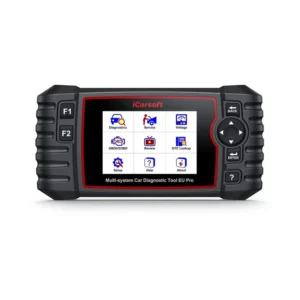
View Multi-Brand Diagnostic Scanners →
Not sure which iCarsoft model fits your needs? Compare iCarsoft diagnostic scanners →
Best Bluetooth OBD2 Scanner for Smartphone Diagnostics
A Bluetooth scanner uses your smartphone as the diagnostic interface instead of having its own screen. This makes the diagnostic setup compact and convenient, but the available functions depend heavily on the diagnostic platform and vehicle support.
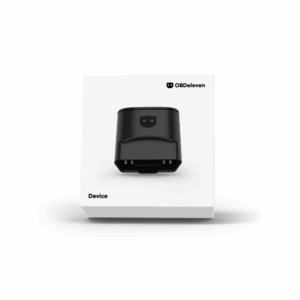
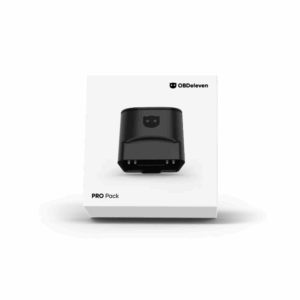
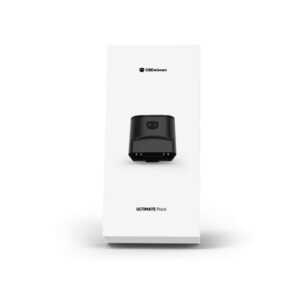
OBDeleven is our main smartphone-based diagnostic platform and is especially strong for supported Volkswagen Group vehicles.
- Bluetooth connection to a smartphone
- Android and iOS support
- Fault-code diagnostics and live data
- Access to multiple vehicle systems on supported cars
- One-Click Apps and additional advanced functionality depending on vehicle and plan
Learn how to choose a Bluetooth OBD2 scanner →
Compare OBDeleven 3, PRO and ULTIMATE →
Best Professional OBD2 Scanner for Workshop Use
Professional diagnostic tools are designed for workshops, technicians and advanced users who need broad multi-brand coverage, frequent diagnostic use and more advanced functionality.
- Professional multi-brand diagnostics
- Access to multiple vehicle systems and control units
- Bi-directional active tests on supported vehicles
- Advanced service, coding and adaptation functions depending on the platform
- Hardware and software designed for regular workshop use
Learn how to choose a professional OBD2 scanner →
View Professional Diagnostic Tools →
Comparing Launch platforms? Compare Launch X431 professional diagnostic tools →
Which OBD2 Scanner Should You Choose?
- One vehicle brand: choose a brand-specific diagnostic scanner.
- Several vehicle brands: choose a multi-brand diagnostic scanner.
- Smartphone diagnostics: consider an app-based Bluetooth platform such as OBDeleven.
- Professional workshop use: choose a professional multi-brand diagnostic platform.
If you are deciding between scanner types rather than specific models, our comparison guide explains the differences in diagnostic depth, vehicle coverage and intended use.
Will an OBD2 Scanner Work With Your Car?
As a general rule in Europe, standard EOBD/OBD2 engine diagnostics are available on petrol cars from 2001 and diesel cars from 2004. This standard covers engine and emissions diagnostics.
Full-system diagnostics go further. Access to systems such as ABS, airbags, transmission, body electronics, service functions and coding depends on the diagnostic tool and its vehicle-specific coverage.
For that reason, choose the scanner based on the level of diagnostics you need rather than the OBD2 connection alone.
Frequently Asked Questions
What is the best OBD2 scanner?
The best scanner depends on your vehicle and how you plan to use it. A single-brand scanner is often best when you mainly work on one manufacturer, while a multi-brand scanner is more suitable when you diagnose several different vehicle brands.
Should I choose a Bluetooth or standalone scanner?
Choose Bluetooth if you prefer using your smartphone as the diagnostic interface. Choose a standalone scanner if you want a dedicated diagnostic device that works independently from your phone.
Do I need a professional diagnostic scanner?
A professional platform makes sense when you diagnose vehicles frequently, work on many different manufacturers or need advanced workshop functions such as active tests, coding and broader service functionality.
Is reading a fault code enough to diagnose a problem?
No. A fault code identifies the system or condition detected by the vehicle, but proper diagnosis may also require live data, freeze-frame information, active tests and further inspection before replacing parts. If you already have a code, start with our OBD2 Fault Code Library.
Diagnosing a Problem First?
If you already have a diagnostic trouble code, use the OBD2 Fault Code Library to understand what the code means, possible causes and the next diagnostic steps.
If you do not have a fault code yet, browse Common Car Problems to diagnose symptoms such as rough idle, loss of power, misfires, starting problems and electrical faults.
Find the Right Diagnostic Tool
Choose the scanner category that best matches your vehicle and diagnostic needs.
- Single-Brand Diagnostic Scanners
- Multi-Brand Diagnostic Scanners
- Professional Diagnostic Tools
- Compare iCarsoft Diagnostic Tools
- Compare OBDeleven Options
- Compare Launch X431 Diagnostic Tools